Monitors defined paths for changes based on user defined metadata
FileMonitor
Added LogUser parameter
Added EventTriggers
FileTail
Added HistoryDays and HistoryRemoveEmptyDirectories parameters
Heartbeat
Added LogsError reporting
Logging
Add SIDFields parameter
LogRouting
Added ADHarvest as a way to define network location IP ranges
Added RELP protocol support
Logs
Added support for XPath event log query definitions
RegistryMonitor
Added SID resolution for HKEY_USER definitions
Added Enable parameter for hive subitems
SessionMonitor
Added GroupSIDs parameter – replaces PKINIT field
Added UserNameHint field
ServiceMonitor
Added Security field based on registry data
What’s Changed?
FileMetadata
ImpHash calculations now ignore empty function names
FileTail
Deprecated IncludeSubdirectories. See Depth.
Filter supports multiple values and regular expressions
LogRouting
Where possible, BufferedStream is now used
Logs
Event logs that are null when received are counted as errors
TaskMonitor
Added Task Trigger XML to log
WLS Records
All control characters are now sanitized from field names and values
Fixes!
ARP/DNS
Fixed updating interval when changed while running
Audio
Fixed being enabled when disabled if FullReportInterval was set
CommandMonitor
Added extra checks when scanning memory for history structures to prevent errors
FileMetadata
Fixed quoted path loop bug
FileTail
BufferSize set as expected
Ensure file position is set to 0 on creation
Improved file position tracking
Reading multiple %USERPROFILE% settings
Setting CharSize
LNK
Fixed string decoding
Updated Enums and reporting of unknown values
LogFormat
Fixed appending HMAC
RemoteConfiguration
Fixed requiring rules.xml when not needed
ServiceMonitor
Fixed reporting at Interval
If you’d like licensing or other information about WLS, send me a note via the contact form. WLS is currently available to US entities, but does require a signed license agreement.
Log forwarding from Windows to any SIEM. Add PE metadata to any logs with a file reference. Customize, filter, and format to meet your requirements. Route logs based on network location, fully cached.
What’s new!
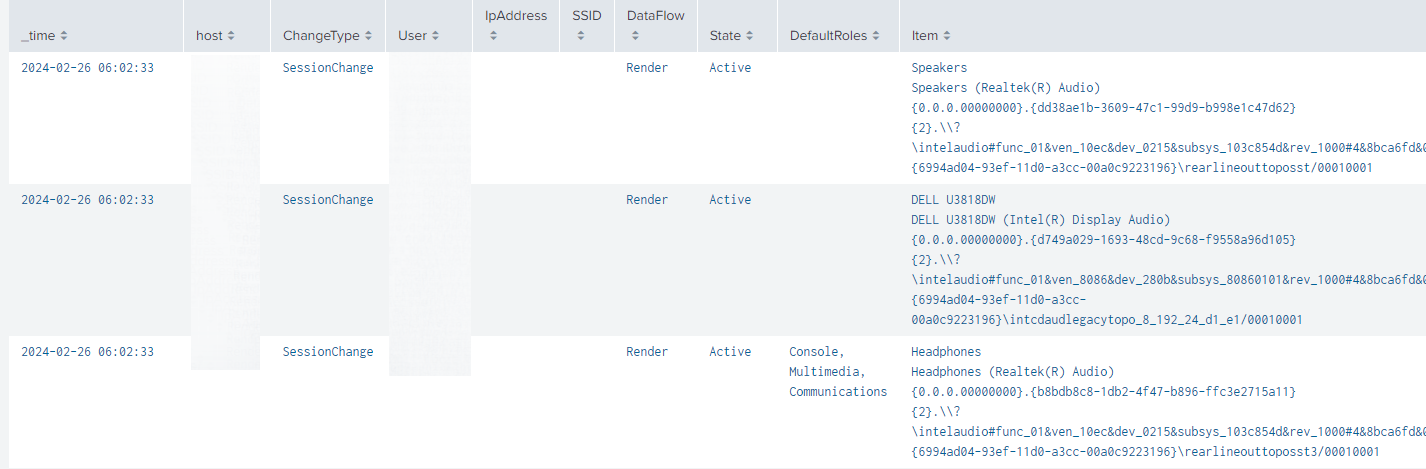
Audio
Log audio devices, their state, flow direction, role, and hardware path
DNS
Log Additional DNS record types returned with queries
FileMetadata
Added FileProperyFields which can log information found on the “Details” tab of the file property dialog, such as Editing Time of a Word document or photo properties
Added RichFields which can log the RichHash and RichPVHash
Logging
Added more options for logging event log description information
Added option to add a flag when a log in truncated based on length
Network
Added logging in-use SSIDs when a network change event occurs
Misc
Various CPU and memory improvements
Coming soon
RELP protocol support
If you’d like licensing or other information about WLS, send me a note via the contact form. WLS is currently available to US entities, but does require a signed license agreement.
WLS is a Windows service that reads, formats, and sends logs to a log receiver such as a SIEM. Add PE metadata to any logs with a file reference. Customize, filter, and format to meet your requirements. Route logs based on network location, fully cached. Analysis of this data can help identify anomalous or malicious activity, as well as provide context for user and system behavior.
Overview
WLS includes the following capabilities:
Augment process creation events with user defined metadata including hashes and PE information
Remote configuration to allow for secure changes to the WLS configuration
Route logs to one or more servers (TCP/UDP/HTTP(S)/RELP) based on the current host network configuration in customizable formats (RFC3164, RFC5424, JSON, Splunk HEC, etc.)
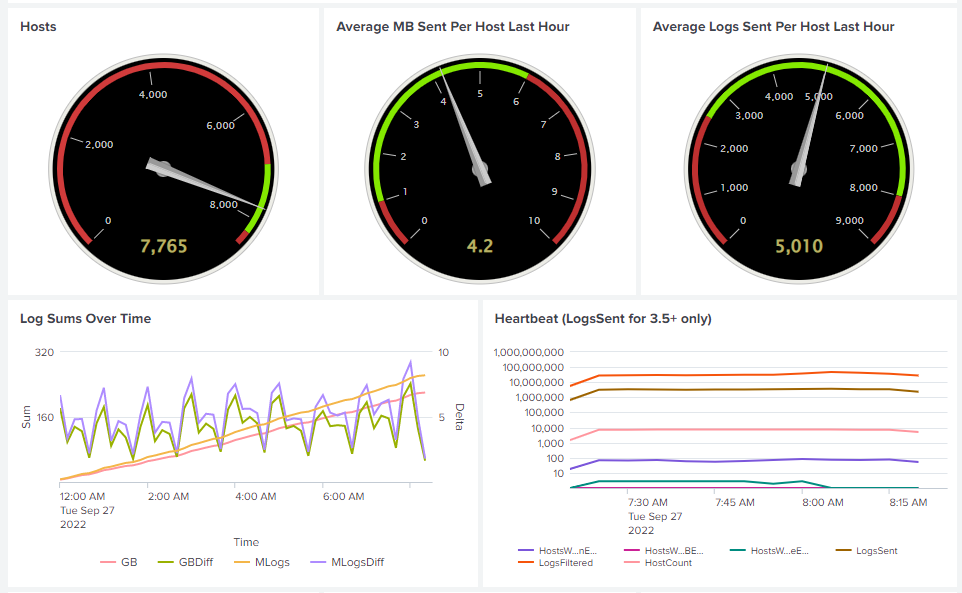
Splunk dashboards shown are provided as-is with a WLS license.
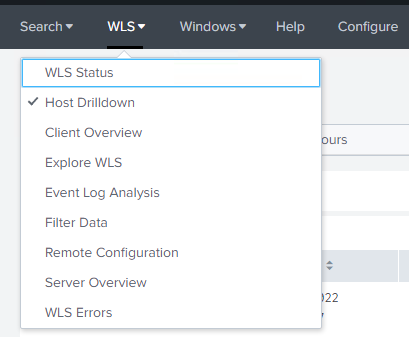
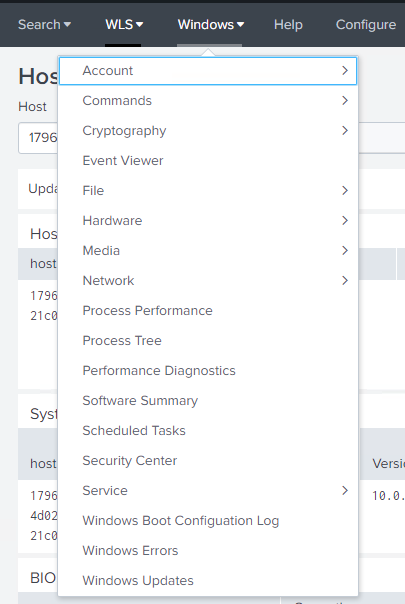
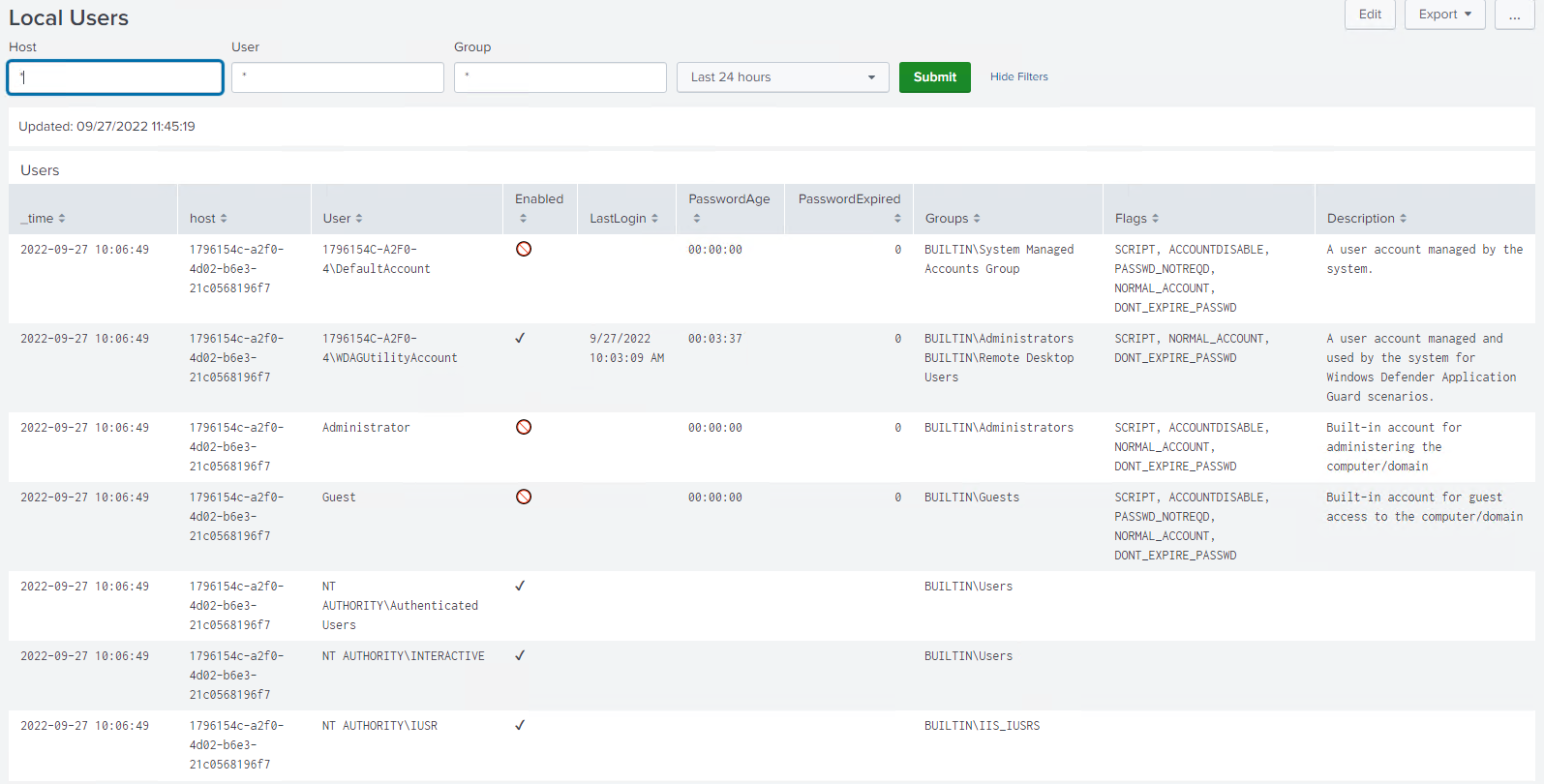
Overall performanceHost performanceDashboards for WLS monitoringDashboards to analyze all WLS reported dataLocal user analysisSession activity, including authentication methodSetup for index, logtypes, HMAC key, and alert email addresses
Requirements
WLS requires .NET 4.0+ client or full and is compatible with Windows XP/Server 2003 – Windows 11/Server 2022. Requires < 5MB for initial installation, and up to the user-defined on-disk quota for the caching DB when the log server is unavailable.
WLS includes the required SQLite libraries and a Software Bill of Materials (SBOM) to validate the provided installation files and dependencies and the executable is signed and timestamped.
Usage
Install with colocated configuration file: msiexec.exe /i setup.msi /qn
Install with HTTPS remote configuration file: msiexec.exe /i setup.msi /RemoteURL="https://server.domain/WLS
Install with UNC remote configuration file: msiexec.exe /i /setup.msi /RemoteURL="\\server.domain\WLS"
Uninstall: msiexec.exe /x setup.msi /qn
Run in debug mode (from elevated command prompt): wls.exe /i /e /debugmode
Configuration
All settings can be user-defined to meet expectations for the environment. The manual included with a license contains all definitions, options, and examples for each setting.
WLS configuration is defined by an XML file that is generated by the provided configuration utility and/or edited manually. Only non-default settings need to be specified. The XML file can then be signed by a system generated signature to guarantee integrity of the XML file, or by an existing certificate to guarantee integrity and verify the signature is trusted.
Remote configuration is done by specifying a path to a rules file that contains host conditions to map systems to the appropriate configuration(s). A remote configuration rule editor is provided.
Example Configurations
All default settings, only watch the Application, Security, and System logs
If you’d like licensing or other information about WLS, send me a note via the contact form. WLS is currently available to US entities, but does require a signed license agreement.
WLS 3.7.22 is here! The latest version of SIEM, format, and protocol agnostic Windows event log forwarding with process creation metadata and user defined contextual information, now with LNK parsing, file system minifilter reporting, WBCL reporting, and sysmon configuration management!
CommandMonitor
Added support for Windows 11 command history when cmd.exe is launched inside Windows Terminal
FileData
Added LNK parsing and reporting
Processes launched from a shortcut, when the LNK field is requested, will have LNK details logged along with user-defined metadata
If you’d like licensing or other information about WLS, send me a note via the contact form. WLS is currently available to US entities, but does require a signed license agreement.
Building on the existing reporting of the TPM status and certificates, WLS now has the ability to report the Windows Boot Configuration Log, also known as the Trusted Computing Group (TCG) measured boot logs. This is the same information used to perform Device Health Attestation (DHA) and that is logged at %windir%\Logs\MeasuredBoot\.
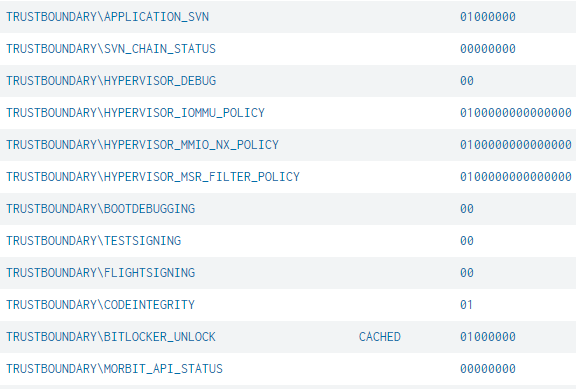
WLS reads this information directly via the API and reports it in the order provided by the OS. Known values are decoded where applicable, others are reported in hexadecimal up to the user specified byte count for later analysis. By default, reporting is enabled for the Current Static Root Trust of Measurement (SRTM), reporting for the Boot, Current, or Resume, SRTM or Dynamic Root Trust of Measurement (DRTM) is also available. These can be logged on startup and at a chosen interval to enable tracking over time of variations.
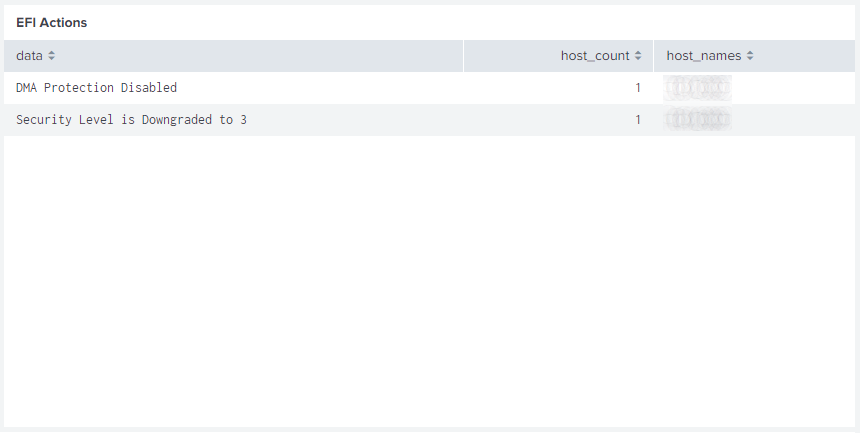
A Splunk dashboard has been created to analyze and decode these logs for comparison across all systems. This includes Early Launch Anti-Malware (ELAM), Bitlocker state and status changes, virtualization based security (VBS), loaded modules, Extensible Firmware Interface (EFI) actions, and more. Known Platform Configuration Registers (PCR) and common acronyms related to the WBCL can optionally be displayed for reference; the System Integrity Platform Attestation (SIPA) definition was surprisingly hard to find.
Rare loaded modules can help locate systems with a non-standard configuration and potentially malware.
EFI actions may show configuration issues and other important information.
The raw events are shown in-order with decoding for well-known items and hexadecimal to ascii decoding to show readable data where possible. This lets you trace one or more systems through boot process to analyze loaded modules, signing certificates, hypervisor policies, Bitlocker unlock status, and other settings.
This is just one of the new features coming with the WLS 3.7 update; others include shortcut/LNK parsing and reporting for new process events and command line parameters, loaded file system filters (fltmc), HTTP(s) log destinations, and Portable Executable (PE) directory names and values (debug, export, import, etc.).
For more information on WLS, click “WLS Information” at the top, or here: WLS Information
If you’d like licensing or other information about WLS, send me a note via the contact form. WLS is currently available to US entities, but does require a signed license agreement.
WLS 3.7 is here! The latest version of vendor-agnostic Windows event log forwarding with process creation metadata and user defined contextual information, now with RemoteConfiguration for dynamic install-time and post-install settings management.
CertificateMonitor
TPM SRKPUB information reported if available
TPM information reported for EKCERT and EKNVCERT when TPM is selected as a store location to report. EKCERT may be overwritten and/or contain multiple certificates as configured by the organization/user. EKNVCERT should reflect the TPM provided certificate. Examples:
Example showing process grouping by build order with IDE and product decoding
Zone fields added to the file alternate data stream during web downloads are reportable. Potentially includes HostIPAddress, HostURL, and ReferrerUrl.
Logging
CPU affinity will be used to restrict the processors available to WLS when CPUAffinity or CPULimitCores is set
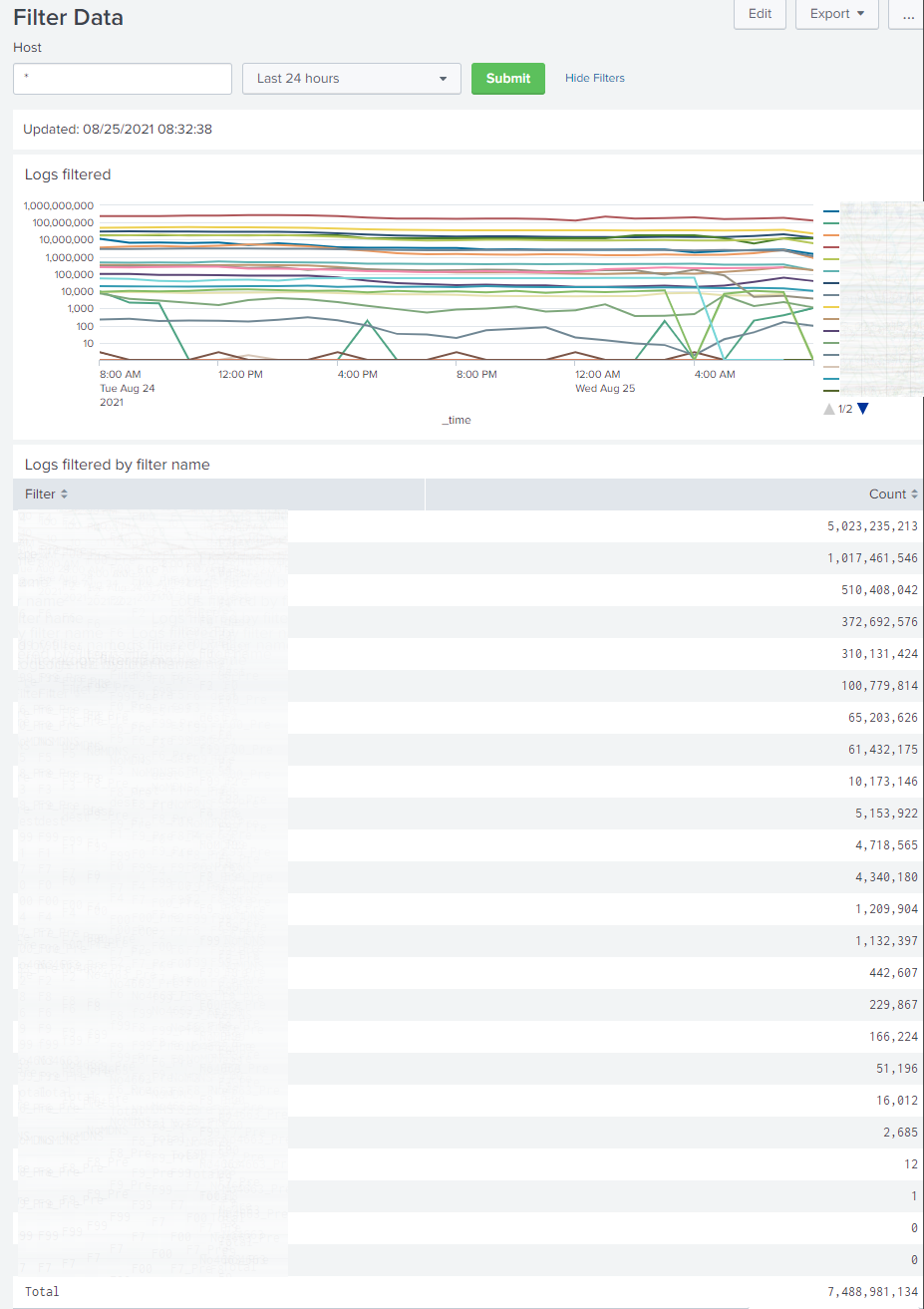
Improved filter performance and added more options. WLS App for Splunk includes Filter Data dashboard
Event descriptions can be reported periodically (LogEventDescriptionInterval). WLS App for Splunk includes a scheduled search, lookup, and macro to build unique event descriptions and return them at search time.
Process “tree” information can be reported. WLS App for Splunk contains dashboards for filtering and analysis.
Process ID fields present in logs can be resolved to a process name and reported as [ProcessIDField]Name
LogFormats
HMAC can be added to logs for later integrity verification. Secret key is encrypted after being set. WLS App for Splunk includes setup and macro for verification.
LogRouting
Logs can be output to a text file at a user defined destination
This can be the primary output, or a parallel output to other destinations
NamedPipeMonitor
Enhanced filtering options
Improved filtering performance
Print Monitor – New!
Log print jobs processed through the local print spooler
Process / MonitorFilter
Monitors that are triggered by process creation/termination can be tuned to reduce resource utilization caused by frequent, expected processes
RemoteConfiguration – New!
WLS settings can be read from a file or web URL
Remote URL can be set at installation, no predefined configuration is required for deployment
Support for XML digital signatures to provide verification of content and that the signing certificate is trusted
Rules can be used to load specific settings for hosts based on host attributes and WMI data
ServiceMonitor – New!
Monitor Windows services. WLS App for Splunk includes dashboard for viewing the last known status and comparing changes over time.
SessionMonitor
Log user-defined certificate fields if used for authentication
Log local non-loopback IP addresses (positive user/IP correlation!)
WLS App for Splunk provides decoding for PerformanceFlags and WSFlags
Task Monitor – New!
Log scheduled tasks on startup, periodically, and on-change
WLS App for Splunk provides a dashboard for analysis
WinObjectMonitor
Enhanced filtering options
Improved filtering performance
Misc
Added support for decoding additional encoded IP address fields
Improved finding files when user specific environmental variables are used
Improved finding files when files have relative paths and are located in directories specified in the PATH environmental variable
For more information on WLS, click “WLS Information” at the top, or here: WLS Information
If you’d like licensing or other information about WLS, send me a note via the contact form. WLS is currently available to US entities, but does require a signed license agreement.
WLS 3.7 introduces the ability to read settings from a remote location, optionally based on host attributes. This provides a dynamic way to update settings on hosts without using GPO, and the ability to deploy WLS without a base configuration file (initial.xml), separating the deployment and configuration for easier management in complex environments.
Remote Location
The remote location can be a file share or web site. It is recommended that a file share have proper ACLs applied, specified by FQDN, and DNSSEC enabled. If a web site is used, HTTPS is recommended and must have a valid certificate.
The rules.xml and any qualifying XML settings files are read and cached on the host. At the specified Interval, WLS will check for changes based on the specified UpdateCheckType. File share paths default to checking the Last Modified Date metadata. Web site paths default to checking the Last Modified Date and ETag metadata returned from a HEAD request. UpdateCheckType can be configured to require a full content comparison at each interval. If the metadata has changed a full content comparison is done and settings are only applied if the content has changed.
If the system is unable to reach the remote configuration path, the cached rules.xml will be evaluated and qualifying cached XML settings will be used as the original paths are cached as well.
Rules
The rules.xml must be located at the root of the remote location. Each rule specifies one or more conditions and a URL to read settings from for hosts that match all conditions. The URL can be relative to the remote location or an absolute path to another location. URLs evaluated from the rules.xml can contain XML settings files by any name. A rule can be set to stop processing further rules by setting continue to false.
Conditions
A condition can either be a “host” or “wmi” condition. A host condition can be the hostname, OU, DN, or any environmental variable for the “Local System” user. A WMI condition can use any WMI namespace and class available to “Local System”.
Each condition can specify one or more fields. Each field can specify zero or more values. Each value can be an exact match, wildcard (*, #, ?), or regular expression. For fields where more than one value may be returned, each value is compared against the values specified. If no value is specified all values will be used when evaluating tokens.
Tokens are optional and can be specified for one or more fields. The token can then be used as part of the URL to dynamically change the location or file name of the XML settings file to be read if all conditions are met.
Example rules.xml
The example below shows reading settings for a Dell computer in an OU named “Windows 10”. The URL is relative and based on the tokens from the conditions.
<WLS>
  <rules>
    <rule name="Dell in Win10 OU">
      <!--Just an example. URL is a relative path to RemoteConfigurationURL-->
      <host>
        <!--Example condition comment-->
        <fields>
          <field>
            <!--Example field comment-->
            <name>OU</name>
            <!--Example value comment-->
            <value>Windows 10</value>
            <token>ou</token>
          </field>
        </fields>
      </host>
      <wmi>
        <namespace>root\cimv2</namespace>
        <class>Win32_ComputerSystem</class>
        <!--Second condition comment-->
        <fields>
          <field>
            <!--wmi field comment-->
            <name>Manufacturer</name>
            <value>Dell*</value>
            <token>mfr</token>
          </field>
        </fields>
      </wmi>
      <url>$ou$\$mfr$\settings.xml</url>
    </rule>
  </rules>
</WLS>
This example shows reading settings for any manufacturer in the “Windows 10” OU. No value needs to be specified if all values for a field will be used. Failed attempted paths will be logged based on the LogMissingFiles setting.
<WLS>
  <rules>
    <rule name="Dell in Win10 OU">
      <!--Just an example. URL is a relative path to RemoteConfigurationURL-->
      <host>
        <!--Example condition comment-->
        <fields>
          <field>
            <!--Example field comment-->
            <name>OU</name>
            <!--Example value comment-->
            <value>Windows 10</value>
            <token>ou</token>
          </field>
        </fields>
      </host>
      <wmi>
        <namespace>root\cimv2</namespace>
        <class>Win32_ComputerSystem</class>
        <!--Second condition comment-->
        <fields>
          <field>
            <!--wmi field comment-->
            <name>Manufacturer</name>
            <token>mfr</token>
          </field>
        </fields>
      </wmi>
      <url>$ou$\$mfr$\settings.xml</url>
    </rule>
  </rules>
</WLS>
Settings
A settings.xml may be located at the root of the remote location. If present it will be applied to all hosts. XML settings file content is the same format as the initial.xml and the WLS Configuration Editor should be used to generate them. Settings files are processed in the order they appear in the rules.xml. Settings are overlaid such that the last setting will overwrite a previous setting.
XML Integrity and Verification
XML files should be digitally signed to ensure content has not changed. XML files can be signed with a certificate to ensure the content integrity and that it was signed by a trusted entity. The tooling to sign and verify is included with the Remote Configuration Rule Editor and the Configuration Editor.
Signing
From either tool, choose File->Sign XML. A prompt will appear asking if you have a certificate, choosing Yes will show the available certificates or let you choose one from disk and ask for the PIN/password if needed, choosing No will use a system generated certificate. Each tool can also have a default certificate chosen to avoid being prompted.
A system generated certificate will verify the content only. A user specified certificate will verify content and that the signer is trusted by the host. After signing a verification is performed and the results displayed to the user.
A signature block will be added to the end of the XML file. Any previous signature will be removed.
WLS can be deployed without an initial.xml by specifying a RemoteURL as a command line parameter to msiexec.exe. The rules.xml must be signed when specified at installation.
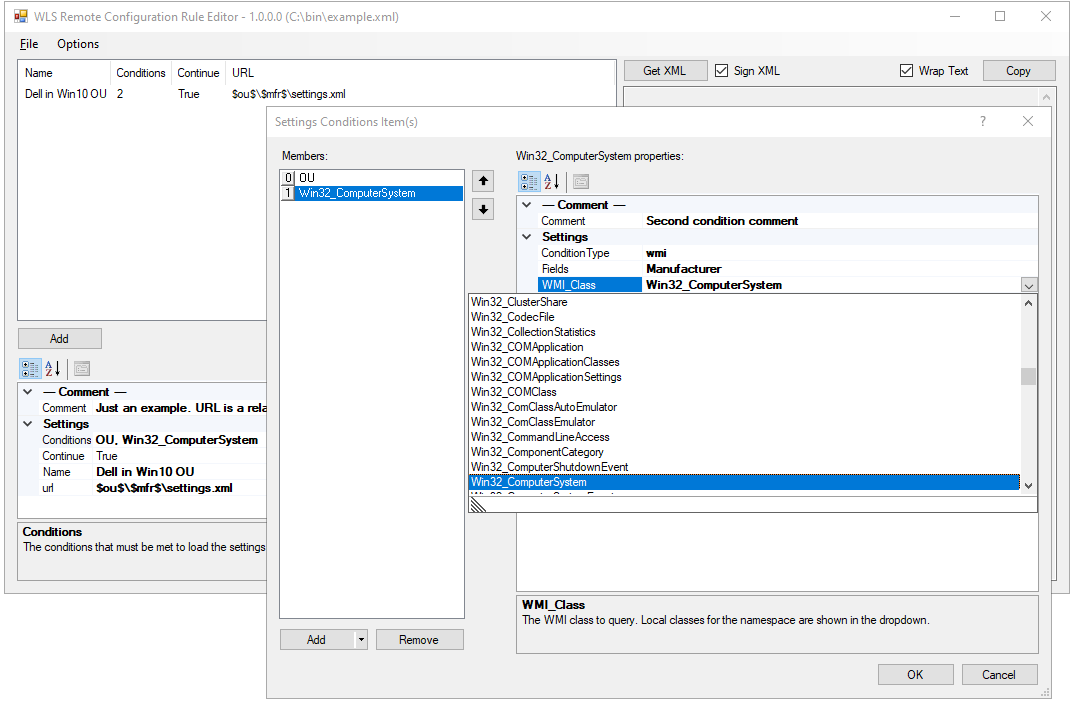
The Remote Configuration Rule Editor is provided to help with creating the rules.xml file. XML is the native format used and it can be edited without the use of the editor. If the file is signed, editing the file will invalidate the signature until it is resigned for the new content. Rule names and any comments are for user reference only and are not used by WLS.
Rules are added and removed using the appropriate buttons. Rules can be reordered by dragging and dropping.
Where possible the editor will show available field names, values, WMI namespaces, and WMI classes. Field names, namespaces, and classes are free-form text fields and can specify values not available on the local system that may be available on other systems.
Available “host” fieldsAvailable WMI classesAvailable WMI fields for the namespace and class
Logs and Dashboard
All relevant Remote Configuration activity is logged and a Splunk dashboard is provided in the WLS App for Splunk.
For more information on WLS, click “WLS Information” at the top, or here: WLS Information
If you’d like licensing or other information about WLS, send me a note via the contact form. WLS is currently available to US entities, but does require a signed license agreement.
Added support for nested x509Certificate2 properties
FileTail
Added support for reporting the file path; none, absolute, or relative
Logging
Event provider metadata will now attempt to use the specified LogCulture
For more information on WLS, click “WLS Information” at the top, or here: WLS Information
If you’d like licensing or other information about WLS, send me a note via the contact form. WLS is currently available to US entities, but does require a signed license agreement.
Filtering to prevent specific metadata from being collected
Local Users – New!
Periodically log users with specified parameters and their groups
Periodically log groups with specified parameters and their users
Misc
Added detection for IMAGE_DEBUG_TYPE_REPRO which affects the TimeDateStamp in the file header
Enhanced support for alternate data streams and symlinks
Enhanced support for version information including languages and codepages
Support for TLS 1.1 with .NET 4.5+
Support for TLS 1.2 with .NET 4.6+
For more information on WLS, click “WLS Information” at the top, or here: WLS Information
If you’d like licensing or other information about WLS, send me a note via the contact form. WLS is currently available to US entities, but does require a signed license agreement.
A WLS user contacted me and was having issues parsing a date from a data field in EventID 6008 (unexpected shutdown). Taking a look at my logs everything looked fine, even in a viewer like Notepad++ with Show View->Show Symbol->Show All Characters. Since I use Splunk, on the record in question I selected Event Actions->Show Source, and it looked fine there too. Next I did a right-click and Inspect on the web page and there it was: “‎” aka u200e, aka E2808E, aka “Left-To-Right Mark”.
Saving the event text to a file and opening it with a hex editor also shows the control character in question (e2 80 8e):
Indeed these control characters are included in at least 8 other events and all appear to be in date fields.
In Splunk you can use rex/sed or replace to remove control characters before attempting a strptime or other function.
`wlslogs` EventID=6008 | rex field=Data1 mode=sed "s/\p{C}//g" | eval NewDate=strptime(Data1,"%m/%d/%Y")











 digirati82