Latest Version: 3.7.25
Introduction
WLS is a Windows service that reads, formats, and sends logs to a log receiver such as a SIEM. Add PE metadata to any logs with a file reference. Customize, filter, and format to meet your requirements. Route logs based on network location, fully cached. Analysis of this data can help identify anomalous or malicious activity, as well as provide context for user and system behavior.
Overview
WLS includes the following capabilities:
- Augment process creation events with user defined metadata including hashes and PE information
- Remote configuration to allow for secure changes to the WLS configuration
- Route logs to one or more servers (TCP/UDP/HTTP(S)/RELP) based on the current host network configuration in customizable formats (RFC3164, RFC5424, JSON, Splunk HEC, etc.)
- Many additional data sources!
- Audio, Certificate, Command Shell entries, Devices, Drives, File Monitoring, File Tailing, File Integrity Monitoring, Local Users, Loaded Modules (DLL), Named Pipes, Performance Counters, Ports (TCP/UDP), Printing, Services, Session Monitoring (lock/unlock/login/logout), Task (Scheduled Tasks) Monitoring, Windows Boot Configuration Logs, Windows Object Monitoring, WMI reporting
- LNK parsing
- File Certificate logs
Screenshots
Splunk dashboards shown are provided as-is with a WLS license.
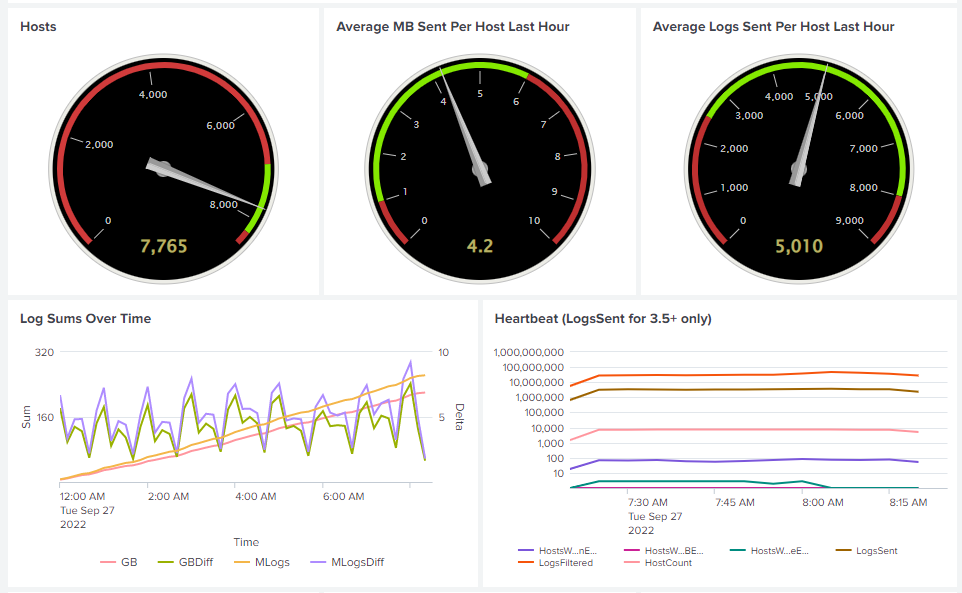

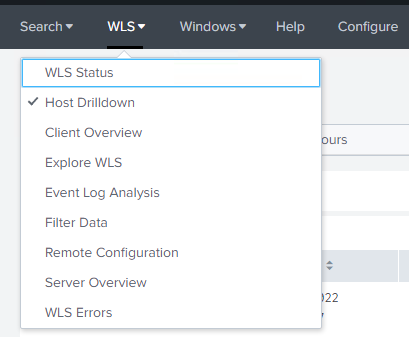
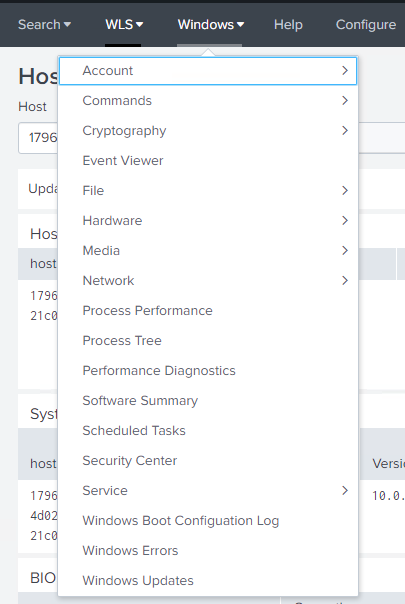
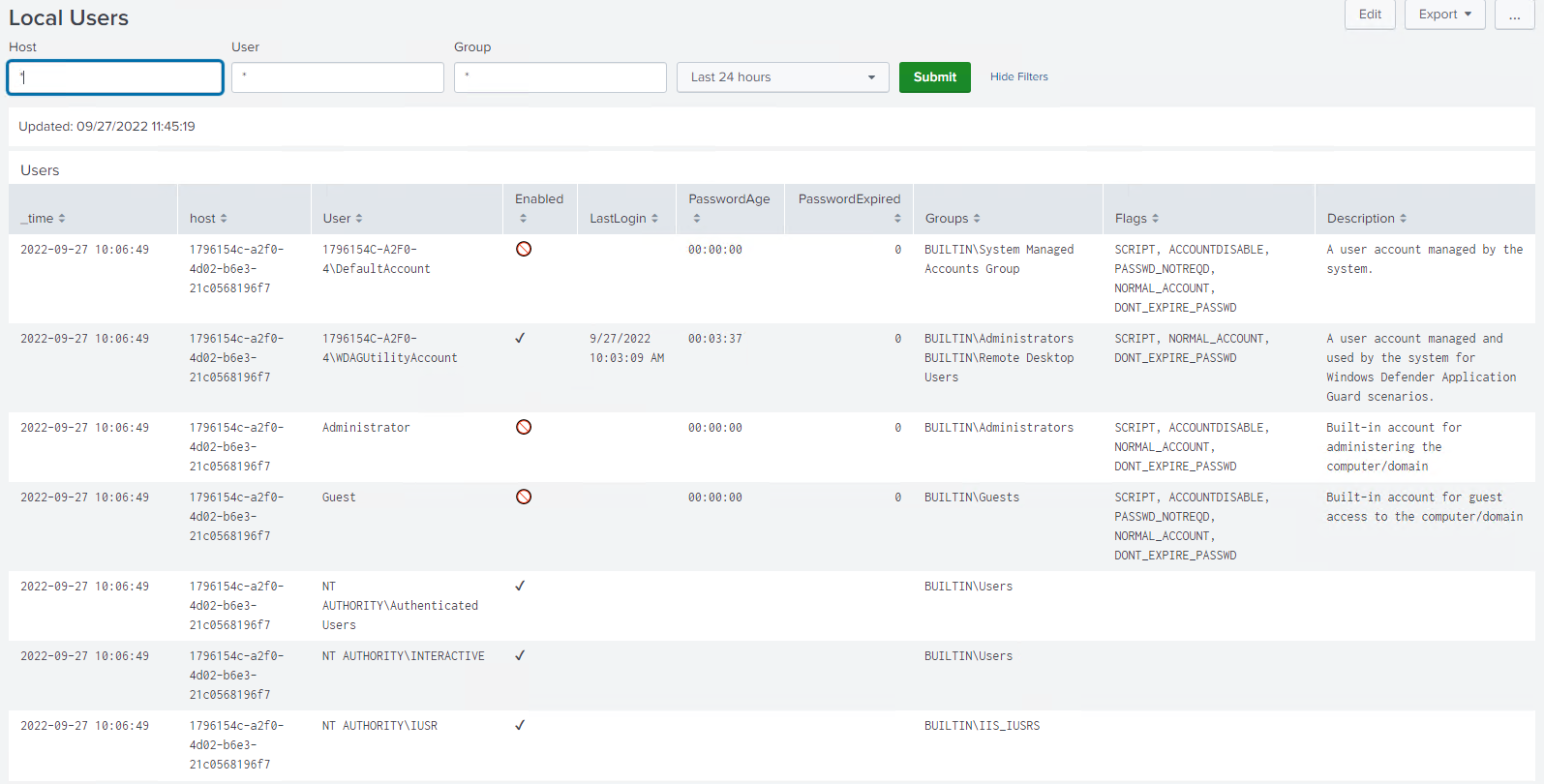


Requirements
WLS requires .NET 4.0+ client or full and is compatible with Windows XP/Server 2003 – Windows 11/Server 2022. Requires < 5MB for initial installation, and up to the user-defined on-disk quota for the caching DB when the log server is unavailable.
WLS includes the required SQLite libraries and a Software Bill of Materials (SBOM) to validate the provided installation files and dependencies and the executable is signed and timestamped.
Usage
Install with colocated configuration file: msiexec.exe /i setup.msi /qn
Install with HTTPS remote configuration file: msiexec.exe /i setup.msi /RemoteURL="https://server.domain/WLS
Install with UNC remote configuration file: msiexec.exe /i /setup.msi /RemoteURL="\\server.domain\WLS"
Uninstall: msiexec.exe /x setup.msi /qn
Run in debug mode (from elevated command prompt): wls.exe /i /e /debugmode
Configuration
All settings can be user-defined to meet expectations for the environment. The manual included with a license contains all definitions, options, and examples for each setting.
WLS configuration is defined by an XML file that is generated by the provided configuration utility and/or edited manually. Only non-default settings need to be specified. The XML file can then be signed by a system generated signature to guarantee integrity of the XML file, or by an existing certificate to guarantee integrity and verify the signature is trusted.
Remote configuration is done by specifying a path to a rules file that contains host conditions to map systems to the appropriate configuration(s). A remote configuration rule editor is provided.
Example Configurations
All default settings, only watch the Application, Security, and System logs
<WLS>
  <Config>
    <Logging>
      <AutoWatchNewLogSources>0</AutoWatchNewLogSources>
      <Logs>
        <Application>1</Application>
        <Security>1</Security>
        <System>1</System>
      </Logs>
    </Logging>
  </Config>
</WLS>
Additional data sources enabled
...
<CertificateMonitor>
  <Enabled>1</Enabled>
</CertificateMonitor>
<SessionMonitor>
  <Enabled>1</Enabled>
</SessionMonitor>
...
Example signed XML. Configuration utility signs and verifies files/folders
...
</Config>


<RSAKeyValue><Modulus>otCgojt4iZbb+y+FdXBn...u6gAkw==</Modulus><Exponent>AQAB</Exponent></RSAKeyValue><Signature xmlns="http://www.w3.org/2000/09/xmldsig#"><SignedInfo><CanonicalizationMethod Algorithm="http://www.w3.org/TR/2001/REC-xml-c14n-20010315" /><SignatureMethod Algorithm="http://www.w3.org/2001/04/xmldsig-more#rsa-sha256" /><Reference URI=""><Transforms><Transform Algorithm="http://www.w3.org/2000/09/xmldsig#enveloped-signature" /></Transforms><DigestMethod Algorithm="http://www.w3.org/2001/04/xmlenc#sha256" /><DigestValue>yw+...fE=</DigestValue></Reference></SignedInfo><SignatureValue>ESC...OEcyw==</SignatureValue></Signature></WLS>
If you’d like licensing or other information about WLS, send me a note via the contact form. WLS is currently available to US entities, but does require a signed license agreement.
 digirati82